
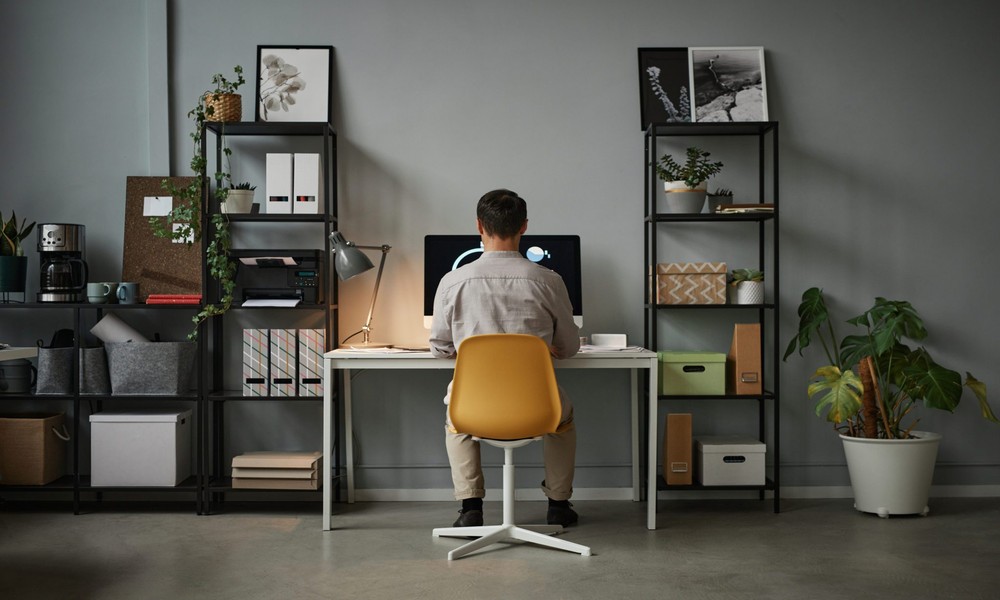
The rise of remote and hybrid work has turned millions of dining tables and spare bedrooms into makeshift offices. The arrangement gets the job done, but it rarely supports the kind of focused productivity that purpose-built workspaces deliver. A well-designed home office isn’t a luxury. It’s an investment that pays back in concentration and output. Quality of life improves alongside both.
The best home offices solve specific problems. They reduce distractions. They support good posture across long hours. They keep the work separate from the rest of the home so the workday actually ends when it’s supposed to. Building one doesn’t require a huge budget or a dedicated room, but it does require thinking about how you actually work.
Start With Location
The most productive home office is usually the one with a door that closes. Even a small dedicated room outperforms a corner of the living room. The visual and physical separation between work and personal space helps your brain switch modes more easily.
If a dedicated room isn’t an option, choose a location that’s as far from household traffic as possible. A bedroom corner. A converted closet. A nook under the stairs. Each of these can work better than a kitchen-island setup where every passing family member becomes a distraction.
Consider natural light too. A desk facing a window can be inspiring during the day but creates screen glare. A desk perpendicular to the window typically works better than one facing it or backing it. Morning light is generally easier to work with than afternoon light if you have a choice of orientations.
The Desk Is the Foundation
Everything starts with the desk. The right one supports the way you actually work rather than imposing a generic shape on your habits.
Surface area matters more than most shoppers realize. A desk smaller than forty-eight inches wide tends to feel cramped once a laptop and an external monitor compete for space with your notebook and other materials. Sixty inches is a more comfortable starting point for most setups. Sit-stand desks have grown in popularity for good reason. The ability to alternate between sitting and standing reduces back fatigue and supports better focus across long working days.
Desk height matters too. A standard desk at twenty-nine to thirty inches works for most adults of average height. Taller individuals often need a higher desk. Shorter individuals may need to add a footrest to keep their posture correct.
Reading Reviews Before Buying
Office furniture is one of those categories where photos can be deceiving. A desk that looks substantial in a catalog can feel flimsy in person. A chair that appears comfortable may not support eight hours of daily use.
Coleman Furniture reviews and similar customer feedback often address exactly these concerns. Reviewers describe whether the drawer slides feel smooth after months of use. They mention whether the surface finish holds up to coffee mugs and computer mice. They note whether assembly took the promised hour or twice that long.
This kind of practical detail rarely appears in product descriptions. Spending fifteen minutes reading recent reviews before placing a furniture order tends to surface the issues that matter most in daily use.
The Chair Matters Most
If your budget forces a choice between an expensive desk and an expensive chair, choose the chair every time. You’ll spend hours each day touching the chair. The desk just sits there.
A good office chair supports the natural curve of the lower back. It adjusts to multiple positions for different tasks. The materials should also breathe across long sessions. Adjustability matters more than initial fit. A chair you can adjust as your needs change pays off across years of use. Fixed-position chairs often look elegant but become punishing within weeks.
Test chairs in person whenever possible. Sit for at least ten minutes. Adjust the settings to your body. Notice how your lower back feels. The chair that’s “fine” for a few minutes can become unbearable across eight hours of daily use.
Storage That Stays Out of Sight
Visual clutter is one of the biggest hidden drains on concentration. A desk surface buried in papers and supplies makes every task feel slightly harder than it needs to be.
Plan storage that hides everything you’re not actively using. A small filing cabinet for paper documents. A drawer or two for supplies. A shelf at eye level for reference books or items you reach for daily. The goal is to keep the surface clear without sending things so far away that you can’t retrieve them quickly when you need them.
Cable management deserves attention too. A tangle of cords behind the desk fights against the calm space you’re trying to create. Adhesive cable trays mounted under the desk hide most of the mess. Velcro cable wraps keep the remaining cords organized.
Lighting for Long Days
Most home offices are underlit. Overhead fixtures alone produce shadows on the work surface and cause eye strain over hours of computer use.
Layer three light sources at minimum. Ambient lighting from a ceiling fixture or wall sconces sets the room’s overall brightness. Task lighting from a desk lamp illuminates the specific work area. Accent lighting from a floor lamp or a window adjusts the mood as the day progresses.
Cool-white bulbs around 4000K to 5000K support focus and alertness during the day. Switch to warmer bulbs around 2700K for evening work to support the body’s natural wind-down. Smart bulbs that shift color temperature automatically can handle the transition without manual intervention.
Technology Setup
Position the monitor so the top of the screen sits at eye level or slightly below. A laptop alone often forces the head down, which causes neck strain across long days. An external monitor or a laptop stand fixes the problem quickly.
The keyboard and mouse should sit at a height where your elbows form roughly a ninety-degree angle. An external keyboard often provides better ergonomics than typing on a laptop directly. Wireless options reduce cable clutter without adding much cost.
Position the camera at eye level for video calls. A camera below eye level produces unflattering angles and subtly affects how others perceive you in meetings. Stack books under the laptop if needed to get the camera high enough.
Personal Touches Without Clutter
A home office should feel like yours rather than a sterile rental cubicle. A plant or two. A piece of art. A photo from a meaningful trip. These small touches make the space feel personal without creating visual noise.
The key is intentional rather than accidental decoration. Each item earns its place. Anything that doesn’t actively make you feel better in the space gets removed or stored.
The Result Pays Off
A well-designed home office repays its costs many times over in the form of focused work hours and reduced end-of-day fatigue. The space becomes a place where good work happens rather than a constant compromise against the rest of the home. The investment in furniture and setup matters less than the thought behind the design. Get the basics right and the rest tends to follow.